Photo app for direct-to-cloud upload


OneLens Logo

OneLens

OneLens is a camera app built take photos and upload photos directly to your cloud services and keep work/school photos separate from your personal memories.

Effortless Uploads

No filenames to enter, no folders to choose – just open the camera, capture, and move on.

Take photos and videos and let OneLens upload them automatically to one or more cloud services:

• OneDrive
• Google Drive
• More coming soon
Home/camera view and settings for cloud services

Seperate Work and Personal Photos

Photos taken with OneLens never appear in your iPhone's camera roll and go straight to your cloud.

• Use the iPhone Camera app for personal memories
• Use OneLens for work, school, or project documentation
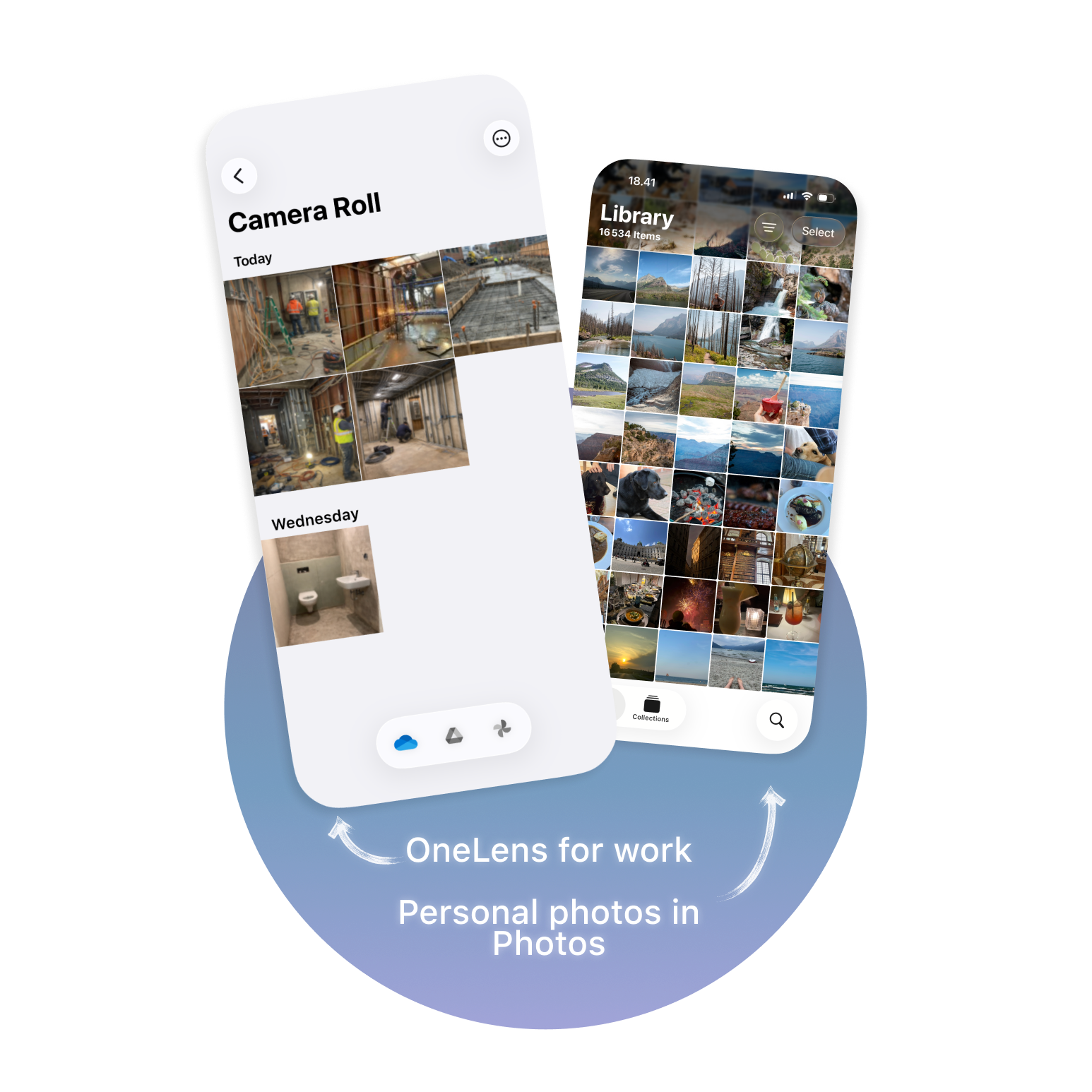
Open, Capture, and Share — in Seconds

With OneLens placed on your Lock Screen or Action Button, you can launch the app, take photos, and share them within seconds.

• Share via Mail, Messages, AirDrop, and more
• View photo details such as date, size, and focal length
• Delete files directly from the cloud

open from Lock screen, capture with shutter button, share from gallery.

All Features

Photo and video
Photo and video
Capture both photos and videos with OneLens.

Cloud service
Direct cloud service
Upload directly to OneDrive or Google Drive.

All lenses
All lenses
Access all camera lenses including fusion camera lens.

Macro lens
Macro lens
Capture stunning close-up photos with the macro lens.

Zoom
Up to 94x zoom
Powerful zoom capabilities for detailed shots.

Manual controls
Manual exposure control
Full manual control over exposure settings.

Flash settings
Flash on/off/auto
Quickly switch flash between on, off, and auto.

Grid
Grid for composition
Enable a grid overlay to line up shots precisely.

Lock Screen
Lock Screen launch
Launch OneLens directly from your Lock Screen camera button.

Cloud gallery
Cloud gallery in app
View and manage your uploaded photos directly in OneLens.

Share
Share and manage content from gallery
Share via Mail, Messages, AirDrop, and more.

Thumbnails
Option to turn off on-device thumbnails
By default, thumbnails are cached on your device for smoother experience.

Supported formats
Supported formats
JPEG, PNG, and HEIC uploads in full quality.

Privacy
No personal information stored
Your privacy is protected. We don't gather or store your data.

GPS tagging
Optional GPS tagging
Add location metadata only when you choose to enable it.